


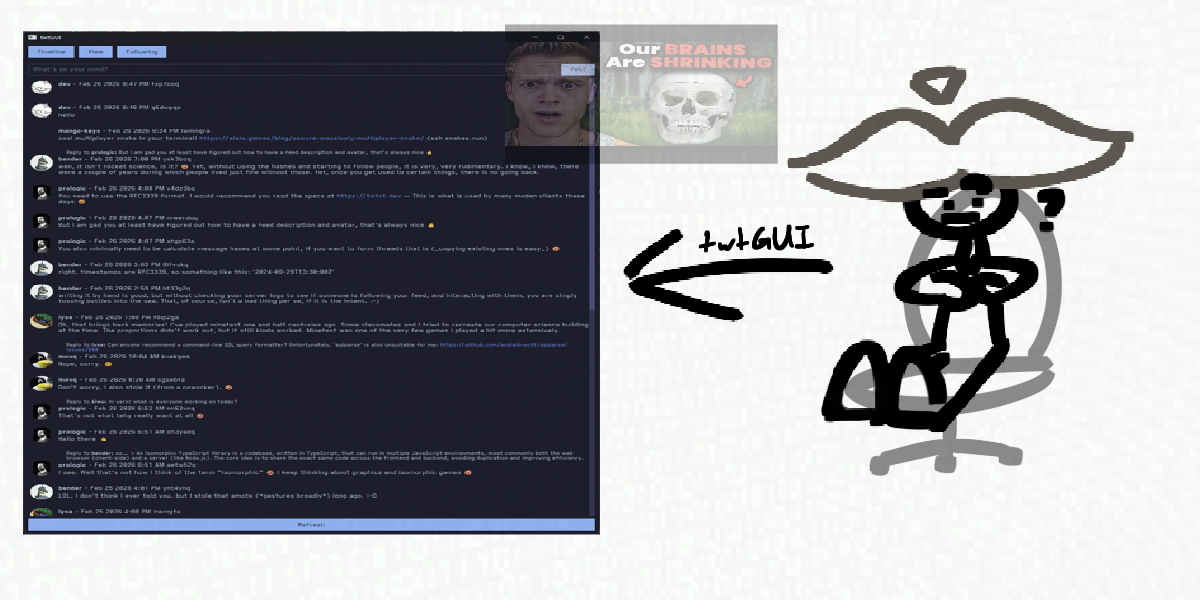
developing twtGUI
tbh i just need something to write about and i thought this was interesting enough,
for a while now i've been working on a GUI client for the twtxt protocol (what is twtxt?)
i first started making twtGUI when i was introduced to twtxt by mango-ki. i played around with twtxt and it was pretty neat, but i was getting tired of having to use the terminal. (this was the first twtxt client by buckket) so i made by own!
electron
i decided to use electron to make the client. this was the time when i worked on websites A LOT so i thought this was a good choice. it would also be easier to style too
i also used the astro framework for it aswell,, which was kinda an odd choice and how i actually managed to use it with electron was strange--i just started a whole web server on your pc and had electron connect to it. i used node.js to call the twtxt client's commands, and then parsed the output to display it in the GUI. very weird but it worked!
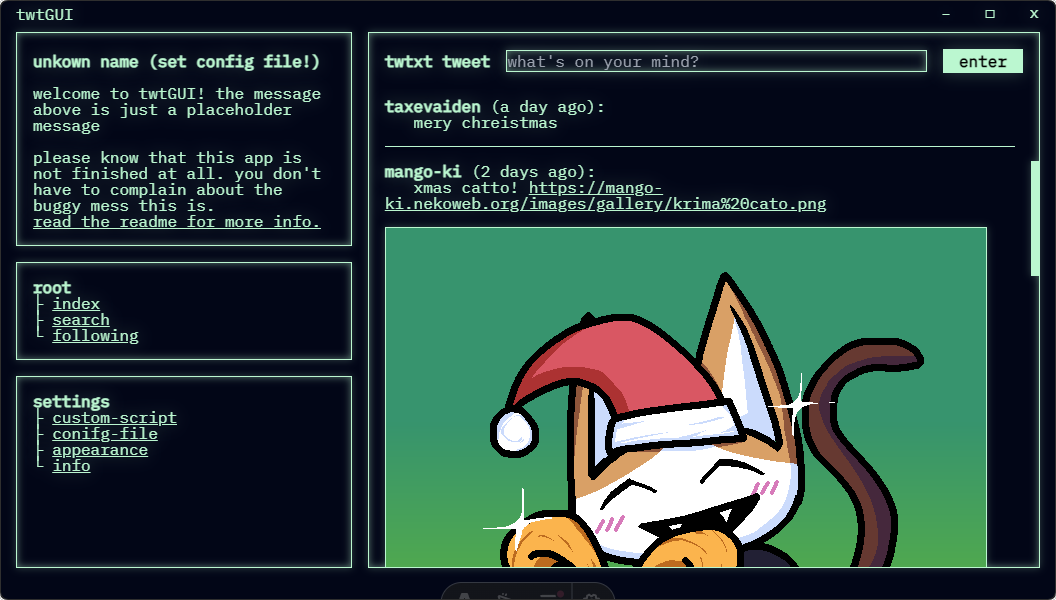
anddd then i realized how painful it would be to further develop this
"why the hell did i do twtxt tweet with node.js instead of appending lines myself"
"who the fuck starts a web server and has electron connect to it just put the html in electron??"
"why would you MANUALLY parse the output of twtxt timeline?? you have less control!"
so eventually i stopped working on it. it was the coolest looking client tho!
qt
when developing the electron client, someone suggested that i should use qt instead. (qt's a really cool cross-platform framework for developing GUI applications) i didn't have any expereince with c++, so i continued to work on the electron client. after realizing that the electron client wouldn't be a good expereince to further develop, i started looking at qt. i thought this would be a good way to learn c++ in general so i went ahead and rewrote twtGUI
instead of calling the twtxt client's commands, i did the parsing and downloading myself. appending lines to the end of a twtxt.txt file and parsing were trivial to implement in c++,, but i did have to do a little more work for donwloading since i used libcurl (and then right after i realized you could do downloads with qt already But ummmm its ok). it looked great!
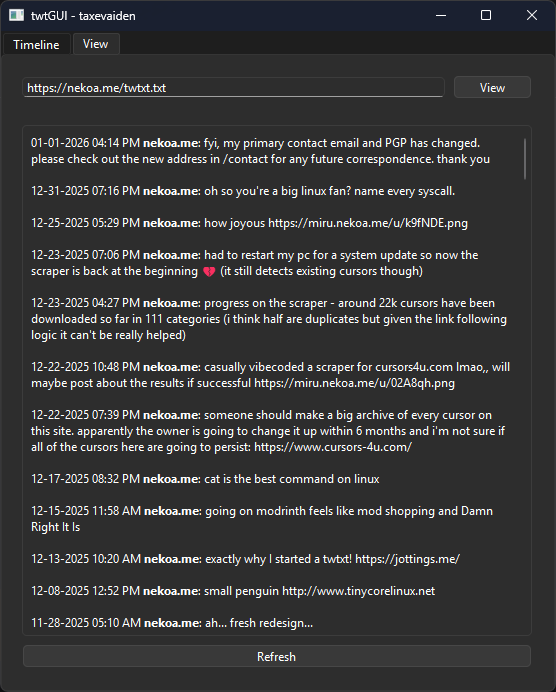
i made the client start new threads for each feed that it has to download, so it
- wouldn't block the GUI (it doesn't run on the GUI thread)
- just loads faster
i also made it automatically cache the feeds you download, so you don't have to unnecessarily make requests and process an Entire feed. overtime, i started adding more and more features (like colored names) and everything was looking great Until i hit a roadblock
for some reason, when i clicked the Refresh button in either the timeline or the view page, the client would crash with an exception saying "Unknown signal." i suspected it had something to do with the way i was handling the threads, after all the code for deleting threads that were completed did seem a little risky,, or maybe i was clearing the feed wrong? or adding tweets to the feed wrong? i don't know!!
a while ago, i did find out that it downloaded the feeds just fine, and it even got to the parsing stage! it only crashed when it had to add tweets,, i knew that in c++ i had to manage memory myself but that seemed really painful so
screw c++ we are rewriting twtGUI in rust!!
(to this day i still don't know what caused the unknown signal)
rust
rust is very fast!
egui
for this very short-lived version of twtGUI i decided to use egui, an immediate-style gui framework. it's designed for game engines as far as i know, but it can also be used for desktop applications too!
again, parsing and appending lines to the twtxt.txt were trivial in rust (and were actually even better for this imo) but i eventually quit cause i did NOT want to continue using an immediate-style gui framework. egui (as i mentioned before) is designed for game engines i think so it wouldn't really be good for desktop applications like c++,, plus i had to do a LOT of hacky things to get basic layout stuff working (like making every widget the same width as the window?? how is this not done by default)
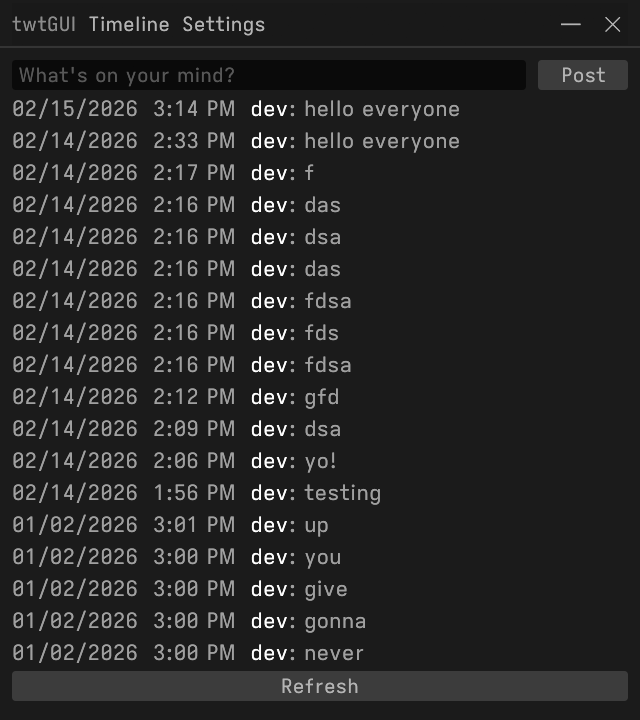
i do think the custom titlebar was cool. i don't know if you could implement it in something like the gui framework i'm about to talk about, but uh not like i need it
iced
iced is a gui framework inspired by The Elm Architecture.
instead of defining what something like a button does in an if statement for when it's clicked (which is what i had to do with egui):
if button.clicked() {
  do_something()
}
you could just make the button fire a message:
button("Click me!")
  .on_press(Message::ButtonClicked);
and define what the message does:
Message::ButtonClicked => {
  println!("Button clicked!")
}
(this is very basic don't copy this code)
this makes the code a lot managable for me
messages can also just be used everywhere, which is very useful for threads when they're finished downloading!
halloy, an IRC client also uses iced, so i could steal look at their code to see how they implement some things
again i implemented the stuff that the old client had: downloading, parsing, sending, etc........ it already started to look great!
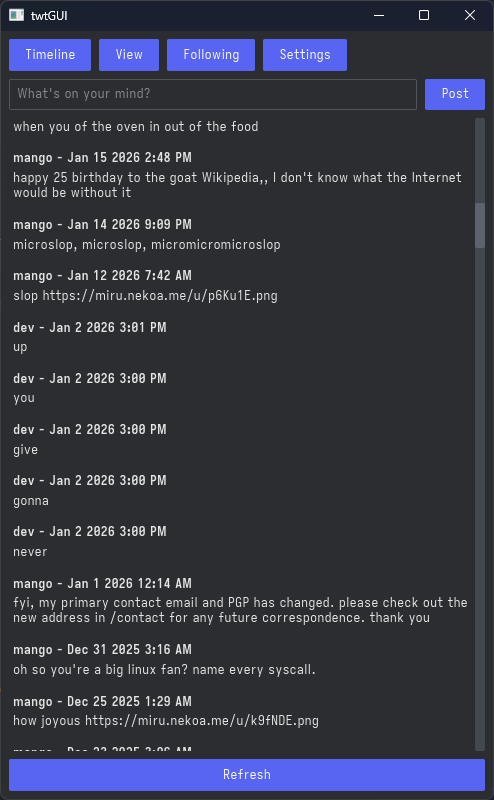
then i implemented the twtxt v2 specification, developed by the people who made twtxt.net. i haven't really looked into it but twtxt.net is a yarn.social pod which is "a decentralised self-hosted social media based on the Twtxt format." if you're looking for an alternative to twitter/bluesky you could check it out (and maybe even host one yourself)
the twtxt v2 specification adds on a couple of extensions to the twtxt protocol, like metadata defining the feed's author, description, and even its avatar, or tweet hashes. tweet hashes and metadata were easy to implement but i did have to change my downloading code a litte to allow for avatars to be downloaded,
but with only these two added, twtGUI was looking cooler than before!
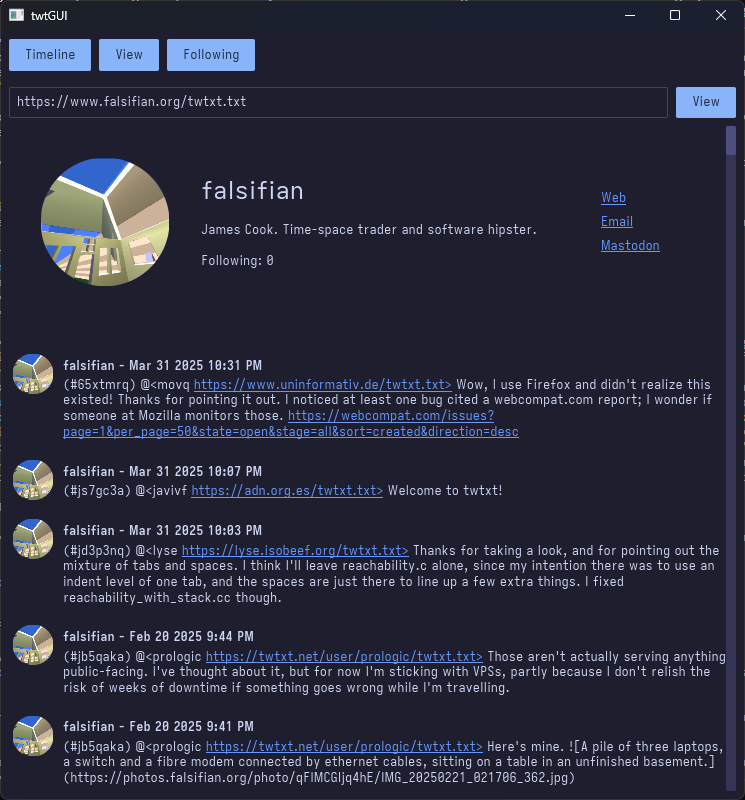
i was going to implement the twtxt v2 specification for the c++ client, but then i realized how painful it would be. like i could parse the metadata, but at what cost? where would i display an avatar on a QListView with my own delegate for rich text? how would i do it with the rest of the c++ code not falling apart?
anyways i also implemented the tweet subject extension (which allowed for threads and replies). i only have a basic implementation--for now it just shows what a tweet is replying to.
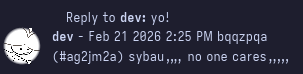
but in the future i'll try and get threads working!
i'll also mention, even when running on a laptop that is MUCH SLOWER than my pc, it downloads and parses 11 feeds really fast! probably because it's on linux, but still!
hopefully this is something i can maintain long-term (i'm so bored i have nothing else to do other than play osu)
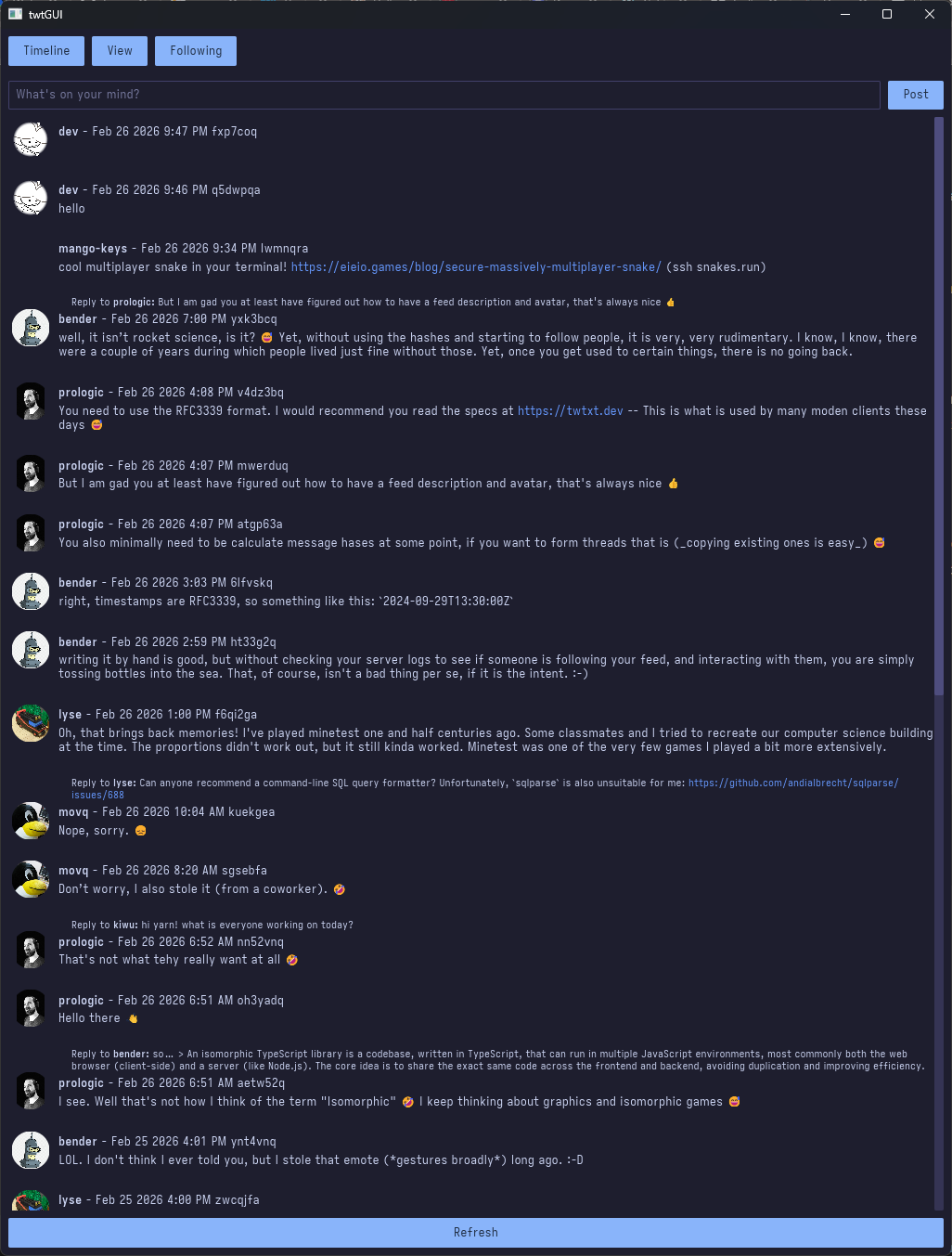
what now
i think once i get twtGUI in a good state i'll use twtxt more often. i haven't posted to my feed in a while and i'm mostly just using twitter (the shit i keep finding on there is crazy)
if you're reading this post and you have a twtxt feed but you don't have some metadata Can you please add it ,i want my timeline feed to look cool. all you have to do is put something like
# nick = john
# description = My (awesome) personal feed!
# url = https://example.com/twtxt.txt
# avatar = https://example.com/avatar.png
# following = 2
# follow = jane https://example.com/twtxt.txt
# follow = joe https://example.com/twtxt.txt
at the top of your file and you're done
ok bye